Snowflake Time Travel & Fail-safe: Disaster Recovery
➤ How to access historical data and recover from accidental changes
In any data-driven environment, accidental changes, data corruption, or human errors are inevitable. That’s where disaster recovery features like Time Travel and Fail-safe in Snowflake come into play. These powerful tools make it easy to access historical data, restore previous states, and recover from mishaps without stress or downtime.
In this blog, we’ll explain how Snowflake’s Time Travel and Fail-safe features work and how you can use them to protect your data.
✅ What is Time Travel in Snowflake?
Time Travel is a feature that allows you to access historical data in your Snowflake tables, schemas, or databases as they existed at an earlier point in time. This means you can easily undo mistakes like accidental deletes or updates, or analyze data as it was at a specific timestamp.
Key Capabilities:
- Query past data using timestamps or offsets.
- Restore tables, schemas, or entire databases to previous states.
- Recover data deleted by mistake.
How It Works:
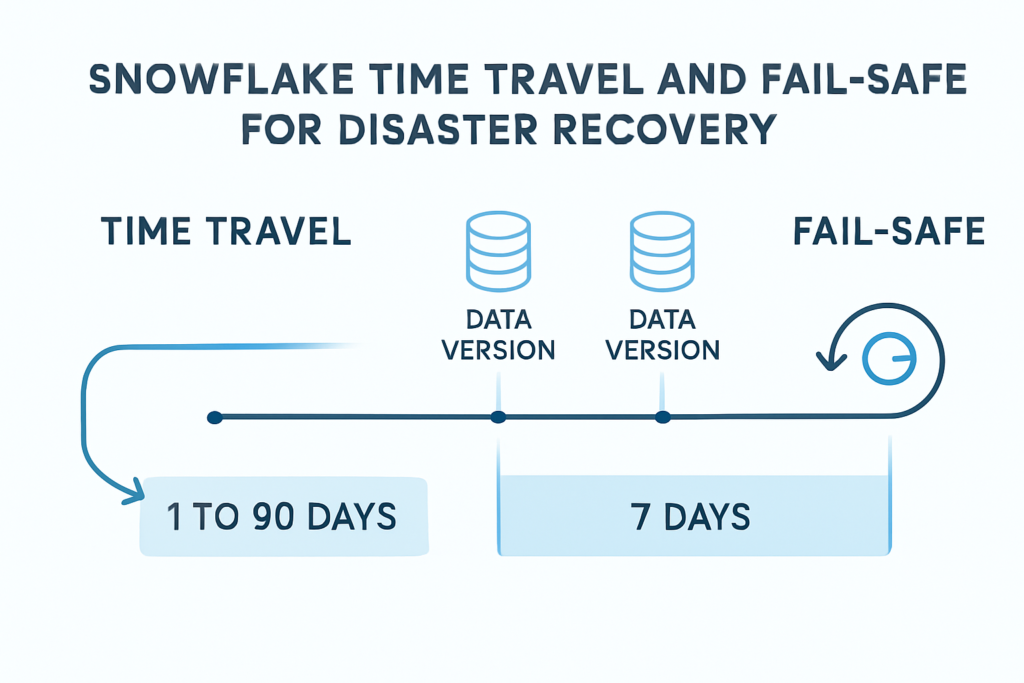
Snowflake retains historical data for a configurable period — up to 1 day for standard accounts and up to 90 days for enterprise accounts (depending on the data retention policy). During this period, you can use SQL commands like:
SELECT * FROM my_table AT (OFFSET => -3600);
or
SELECT * FROM my_table BEFORE (TIMESTAMP => '2025-09-13 10:00:00');
You can also restore a dropped table using:
UNDROP TABLE my_table;
This gives you flexibility and peace of mind, knowing that data loss isn’t permanent.
✅ What is Fail-safe in Snowflake?
While Time Travel covers accidental changes within the retention period, Fail-safe is a safety net designed for extreme recovery scenarios. It’s a 7-day period after the Time Travel window during which Snowflake can recover historical data in case of catastrophic failures or extended outages.
Fail-safe is not user-accessible but can be used by Snowflake support to recover data after the Time Travel period has expired.
Important Notes:
- Fail-safe is only for disaster recovery and cannot be used for routine data restoration.
- It adds an extra layer of protection but comes at a cost since it stores data longer.
- Only account administrators or Snowflake support can initiate fail-safe recovery.
✅ How to Use These Features in Practice
- Undo Accidental Changes
If you accidentally delete rows or update a table incorrectly, use Time Travel to query past data or restore the table. - Audit and Compliance
Analyze how data looked at a specific point in time. This is useful for audits, regulatory reporting, and troubleshooting. - Disaster Recovery Planning
Configure data retention periods based on your business requirements, ensuring data can be recovered in emergencies.
📌 Final Thoughts
Snowflake’s Time Travel and Fail-safe features provide robust, user-friendly solutions for disaster recovery. Whether it’s an accidental deletion or a larger system failure, you can access historical data and restore operations quickly without downtime or complex recovery procedures.
By leveraging these features, businesses can confidently manage their data, knowing they are protected from unexpected errors and disasters. Set up appropriate data retention policies today and make disaster recovery as seamless as possible with Snowflake!